
Job description version control can be the difference between a smooth JD update process and getting frustrated finding the final version. Do you find yourself asking your job description writing team different questions, such as, “Why isn’t the EEO statement included in the JD?”, “Where’s our organization definition?”, and “Where’s the recent JD version?”
If these questions sound familiar, your team is experiencing job description version control chaos. So in this article, I’ll help you understand:
- Reasons why tools that aren’t specialized job description platforms, such as Excel and Google Docs, are bad for your JD version control
- Then I’ll share ways a specialized JD tool can help you overcome different JD version control chaos
- Hidden costs you’re encountering because of poor JD version control
And lastly, I’ll share some tips to consider when selecting a JD software for job description version control.
Reasons Organizations Turn to Excel and Google Docs for Job Description Version Control
Excel and Google Docs are good for managing a few job descriptions. They, however, aren’t the ideal tools to use to manage the complex job description management process from writing to publishing.
So here are the few main reasons that make HR teams turn to Excel and Google Docs for their job description management process:
- Excel and Google Docs are perceived as Cheap: The two tools are part of a package of tools you already use at work. So HR teams see this as a cost-effective strategy to save money instead of investing in JD software.
- Availability and Familiarity: Most people working in any organization are familiar with Excel and Google Docs. HR teams perceive this as an opportunity not to invest in new training software.
- Simple JD Collaboration: The two platforms don’t have advanced user management controls. Job description writing teams see it as a quick opportunity to create their job postings.
But these surface-level benefits of the two tools create a job description version control chaos that negatively impacts the job description management process.
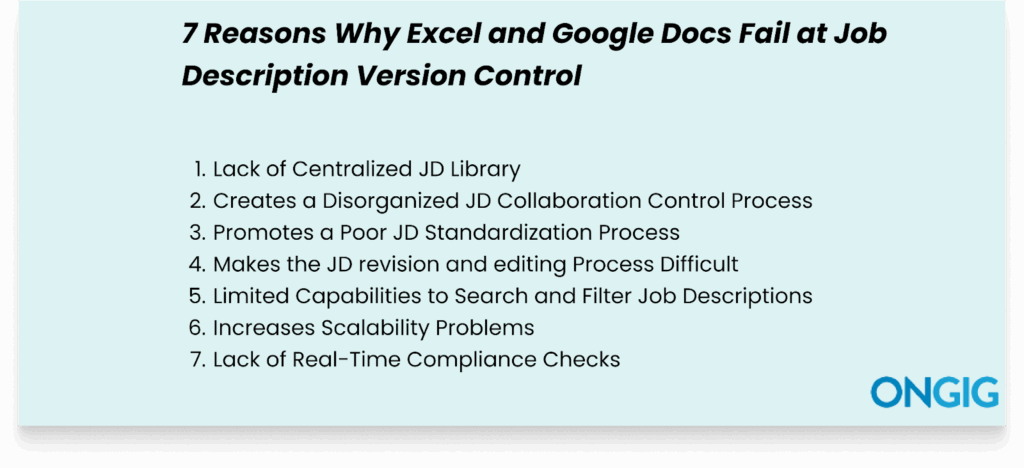
Here are 7 reasons why Excel and Google fail at job description version control:


1. Lack of Centralized JD Library
Neither Excel nor Google Docs provides a centralized storage for all job descriptions. Organizations resort to storing job descriptions in Word Documents, scattered email threads, and individual and shared hard drives.
This leads to a decentralized and siloed JD process that creates a version control chaos that leads to more challenges, such as:
- Productive time wasted locating job description information
- Working with outdated JD information
- Producing JDs with conflicting details
- Slow job description publishing process
- Failure to include important job description details
Daniel Shapiro, SVP of Brand Relationships and Strategic Partnerships at Red Points, adds, “HR, marketing, and legal may all tweak a JD for various reasons. But in Excel, those updates happen in silos. We’ve even had partners working off an outdated JD version during hiring sprints, which led to misalignment in job postings and interviews. What’s helped us is moving toward tools that allow real-time editing with comment threads.”
Ways a Specialized Job Description Management Tool Can Help
Job description software creates a centralized library that helps your team in:


- Creating a JD Central Source of Truth: This ensures everyone involved in the JD management process has access to the same, up-to-date version of a job description. No chaos will arise later if the version of the JD written isn’t the correct one.
- Saving time by Retrieving Existing Job Descriptions: When your team wants to write a new JD, they don’t have to start from scratch. They can retrieve a library of previous approved JDs and use relevant structures as their foundation.
- Creating an Efficient Workflow Process: Multiple users with different user permissions can access and edit JDs as needed. Without messing with the write-up and edits of another person on the team.
- Serving as a Foundation for HR Tools Integration: A unified JD library makes it easy to integrate with other HR tools and systems. For instance, there’s easy creation of integration with your applicant tracking systems (ATS).
2. Creates a Disorganized JD Collaboration Control Process
Yes, Excel and Google Docs permit more than one person to edit the same document concurrently. But the two tools lack advanced permission-sharing functionalities that are important for managing critical documents such as JDs.
So, without an efficient job description workflow, the job description writing process becomes vulnerable to clashing edits, unapproved changes, and loss of important JD information.
Riley Westbrook, the Founder and Creative Director of Valor Coffee, says, “I used to use Excel for writing JDs because it seemed straightforward. But when my HR team wanted to collaborate, the limitations became painfully clear. I’m talking about the lack of reliable change tracking. Excel’s version history is inconsistent, especially in shared workbooks, where the feature usually disables itself without warning.
Riley adds, “There was an instance when two managers edited the same JD simultaneously. One person updated the role requirements while another tweaked the salary range. Excel failed to log these updates properly. The final JD document had missing qualifications and an incorrect pay scale, which we didn’t catch until after the job ad went live.”
Ways a Specialized Job Description Management Tool Can Help
A job description platform gives you robust user control features to simplify any version control process.

For instance, our platform, Ongig, gives you advanced user control features that help to:
- Simplify Role-Based Access Control
Ongig simplifies user permissions for the JD document by ensuring each person on the writing team has only specific permissions. So you avoid having conflicting edits because each person has a clearly defined role.
- Create an Efficient User Management Process
By using Ongig, you can set an “Administrator” control to handle the user accounts. And quickly add new users to the system without encountering any difficulty.
This way, you can have anyone in the organization you want for the job description to provide their input on the sections you need.


- Builds A Real-Time Feedback Channel
Writing a job description using Excel makes it difficult to have a flowing conversation on JD edits and changes. But with a specialized JD tool like Ongig, commenting is in one place. This way, everyone provides and gets quick feedback.
- Apply customized templates to each JD
With Ongig, you won’t fail to include every important section of the job description through the help of customized templates. You won’t find yourself asking your team each time questions such as, “Was the EEO statement included? “Why is the work policy not included?” etc.
TIP: Listen to an episode of the JD Fix podcast, where host Heather Fenty, our director of sales and content marketing, breaks down why the traditional job description approval process slows your recruitment process.
3. Promotes a Poor JD Standardization Process
Excel and Google Docs don’t provide functionalities that enhance consistency across job descriptions. For instance, the two tools don’t provide mandatory fields, pre-approved templates, or formatting guidelines while an author is writing the JD.
So you produce a JD with conflicting and confusing details. You might find your organization producing JDs that describe the values, mission, benefits, and salary in different ways for the same role.
Maris Laatre, CMO at Bully Max, says, “Excel doesn’t offer content governance. There’s no easy way to lock fields for standardization across job openings, like organization values or EEO statements. Over time, these parts start drifting slightly across JDs, which opens the door to inconsistencies in brand voice.
Also, Excel doesn’t flag outdated JD information. For instance, if a JD still lists outdated benefits, there’s no alert. So, we ended up creating a quarterly review process, but it would be much smoother in a tool that tracks and timestamps the JD content lifecycle.”
Ways a Specialized Job Description Management Tool Can Help
A job description platform enhances the consistency of your job description in some of these ways:

- Offers Customizable Templates
The tool offers standardized templates to build a consistent JD with all critical components, such as job title, responsibilities, salary, benefits, organization values, and mission.
- Provides Smooth Workflow Approvals
The simplified approval process ensures everyone does only their tasks. And at each stage, there’s someone to audit the JD before it’s published for proper standardization.
- Simplifies the Creation of Organized Content Libraries
You can create and maintain libraries of pre-approved content templates for common JD elements. For example, you can build a content template for the company boilerplate. So, you can have unified descriptions of your company’s mission, history, and values.
4. Makes the JD revision and editing Process Difficult
Neither Excel nor Google Docs creates an organized JD revision and editing process. And although Google Docs has a version history, it doesn’t provide proper tracking for issues such as compliance.
So this process leads to:
- Version Comparison Chaos: You end up not knowing which JD version to proceed with because there’s no proper naming of documents. For instance, you’ll find your team having confusing JD version names such as updated JD_1, Final_JD3, and Final_JD4. And you can’t understand which is the recently approved version.
- Failure to Include Important JD Information: It becomes challenging to identify any crucial JD details that got deleted or weren’t included because of the confusing edits.
- Endless Email Loops: Due to a lack of a centralized JD feedback channel, your team might find itself editing a JD document that should have taken a few hours into days. Because each time they keep correcting the same thing, and someone who wasn’t present comes and makes conflicting edits.
Ways a Specialized JD Management Tool For Job Description Version Control Can Help
Job description software smoothens the job description revision process in some of these ways:

- Availing Version Comparisons
The platforms allow you to view the differences between two versions of your JD. This is critical when approving changes made by multiple people editing the JD. So modifications get reviewed efficiently and on time. Thus reducing endless email chains.
- Rollback Capabilities
In case of errors, last-minute conflicting edits, and changes, version control makes it easy to return to a previous version of a JD.
- Audit trails
You get a thorough audit trail with a job description platform. The tools enable you to view every single change in a job description. This includes the time, date, user, and the changes they made.
- Conditional Revision and Editing Rules
The tools make it easy for approvers to lock sections that shouldn’t get edited by anyone. This ensures that there are no conflicting edits.
5. Limited Capabilities to Search and Filter Job Descriptions
Excel and Google Docs offer basic search and filter features that can’t help manage a complex JD creation process. For instance, you can’t filter your job descriptions by job level, salary range, job title, or department.
Plus, there’s also no organized search by precise fields such as benefits and location. And you can’t create a system to categorize your job descriptions to find any JD you want in minutes. So you’re left with basic text searches in your job description document.
Ways a Specialized JD Management Tool For Job Description Version Control Can Help
Job description software provides you with advanced search and filter functionalities that help you locate job titles, salary range, skills, or departments by entering relevant keywords.
So, it’s easy to compare job descriptions, identify trends, and evaluate the requirements for different open positions. Plus, as your organization’s JDs demand increases, search and filter functionalities ensure efficient scalability of your system.
So, you save productive time from manually sifting a huge database of JDs. And efficiently match applicants with open opportunities within your organization.
6. Increases Scalability Problems
Google Docs and Excel are okay when managing just a few job descriptions. But it becomes a challenge once your organization’s demand for more job descriptions increases. And there’s no way to edit a huge bulk of job descriptions.
Dhanvin Sriram, founder of Luppa AI, “One of the biggest challenges we’ve encountered while using Excel for JDs is its limited adaptability during fast recruitment cycles. At Luppa AI, roles evolve quickly. What a ‘content strategist’ needs to do today might look different months later. And Excel doesn’t handle that kind of role change efficiently.”
Ways a Specialized JD Management Tool For Job Description Version Control Can Help
Various job description management software is designed for scale; they provide:

- Cloud-Based JD Library: With a central repository software, your JDs are in one place. You can access and manage your JDs anytime.
- Bulk Editing Functionalities: Easily edit any bulk of JDs your organization has without encountering any system crashes.
- Provision of JD Templates: The tools provide efficient templating functionalities to save you time as you write your job description. Some templates come with pre-approved sections, thus quickly simplifying the standardization process across multiple JDs.
- Provides auto-archiving features: This process enables you to separate your live job descriptions from outdated ones. So your team doesn’t spend hours trying to figure out which JDs are recent and relevant.
7. Lack of Real-Time Compliance Checks
A hidden problem of a poor job description version control process is how it exposes your organization to compliance issues. Here’s how:
- Unauthorized Edits to Essential Language: Without a proper JD workflow approval process, anyone can edit any section they want. And sometimes they might edit compliance-sensitive fields such as EEO statements. Plus, they might use biased language that might get your organization penalized.
- Lack of audit Trails: With Excel, it’s hard to track who made what changes. So, during an employment dispute related to JDs, you will find it hard to defend yourself.
Robbin Schuchmann, Co-founder of EOR Overview, says, “Excel doesn’t provide visibility into edit history. You can’t trace who made which changes, the timeline changes, or why they happened in the first place.
Robbin adds, “I work with teams across five or more time zones, and our job descriptions need to be tailored for compliance in each market. At one point, we had three team members make edits to a single Excel file stored on a shared drive.
Because Excel does not have a true version log unless it’s used with advanced integrations, someone accidentally deleted the entire role responsibilities for a compliance-heavy market like Germany. We didn’t notice until we reviewed the JD with legal counsel and realized a major portion got removed. That one slip cost us nearly $2,000 in extra review hours and pushed the recruitment timeline back by almost a month.”
Ways a Specialized Job Description Management Tool Can Help
Here’s how a job description tool can save your organization from compliance risks:
- Organized Workflow Approval Process: Job description tools create a structured job description management process to ensure you easily add your compliance department to review the job ad before it goes live. Plus, with the good workflow process, no one makes unauthorized changes.
- Detailed Audit Trails: You get a visual representation of your JD management process. You can also see who made what edits and the reasons.
- Access to Customized Templates: Depending on your tool of choice, you’ll have templates that contain some compliant required sections, such as EEO statements. So no compliance mistake goes unnoticed.
The Hidden Impacts of a Disorganized Job Description Version Control Process
A disorganized job description version control process not only affects the job description writing process but also negatively impacts the whole recruitment process.
Some hidden costs your organization will experience unknowingly in the process are:

- Wasted Productivity: HR teams spend many days and hours revising conflicting JD edits. These are hours they would have spent on other valuable HR tasks.
- Recruitment Delays: Version control chaos leads to time wastage chasing down approvals. And sometimes, without a centralized system, you’re not sure who has the final approval. So the JD gets published late. Not forgetting that every day before a candidate gets hired, the company loses money.
- Negative Candidate Experience: Badly written JDs mislead applicants. And they get disappointed when they reach the interview stage, thus leading to you starting over again to look for new candidates.
- High Employee Turnover: Some candidates might decide to accept an offer even if they feel the role varies from the JD details. And they will do this while they look for a better offer and leave. Now your team will have to start the whole JD creation process from scratch again.
- Poor Employer Brand: Once more and more candidates experience a negative hiring experience with your organization, no qualified candidate will even think of applying to a job opening at your company. The candidates will spread the word on how you’re a bad employer.
4 Steps to Take To Fix Your HR Team’s Job Description Version Control Chaos
We’ve already shared different ways that specialized HR tools can help you with JD version control chaos. But before deciding on the type of tool to invest in, there are steps to implement to fix your organization’s JD version control chaos comprehensively.
Here are some of the steps:
- Identify the Version Control Challenges: To do this, survey your HR team to know the pressing version control challenges. For instance, you could ask, “How many hours does it take you to fix conflicting JD edits?”
- Calculate the Hidden Costs: After identifying your pain points, calculate the impact of these challenges on the recruitment process. This will help you to convince stakeholders of the need for a new tool. For instance, you might find that your HR team loses more than 20 hours a week to unproductive work of fixing conflicting edits.
- Decide on Important Features: Next, make a decision on the must-have features of the tool. This will help you choose a platform that can solve all your challenges. Plus, consider your industry. For instance, if you’re in a highly regulated industry, ensure the tool helps with compliance challenges.
- Test 3 JD Writing Tools: Select the tools you’ve found that can solve your challenges. Then test which one is easy to use, cost-friendly, has good integration, and proper customer support.
With these steps, you’re confident you’ll get an efficient platform.
FAQs: Why Excel and Google Docs Fail at Job Description Version Control
1. Why is Excel Challenging for Job Description Version Control?
Excel creates chaos for the JD version control process by introducing challenges such as poor workflow approvals, unauthorized edits, poor audit trails, and a lack of version comparisons.
2. What Compliance Challenges Does Google Docs and Excel Bring?
First of all, there are no audit trails, so you can’t prove who made changes to critical compliance sections. This becomes a challenge if you have any JD employment-related lawsuits. Plus, the chances of your team using discriminative language in JDs are high when using the two tools.
3. Why can’t our Team just use Drive Folders and SharePoint for JDs storage?
SharePoint and Drive folders create a siloed JD process, leading to challenges such as a lack of organized workflow approvals, no ATS integration, and a lack of version tracking.
Why I Wrote This
If you’re still using Excel, Google Docs, and guesswork, it’s time to organize the process with a specialized job description tool. This way, you build a version control system to eliminate hiring delays and save your HR team’s time.
If you’re ready for an organized job description version control process, contact us for a demo.
The post 7 Reasons Why Excel and Google Docs Fail at Job Description Version Control first appeared on Ongig Blog.